Introduction
An MQTT energy meter is a key component in modern IoT-based energy monitoring systems. It enables real-time data transmission from electrical systems to cloud platforms, dashboards, or third-party software such as EMS, BMS, and Home Assistant.
This step-by-step guide explains how to set up a smart energy monitoring system using an MQTT-enabled energy meter, helping system integrators and solution providers deploy scalable and reliable solutions.
What You Need Before Setup
Before starting, make sure you have the following components:
- MQTT-enabled energy meter (WiFi or gateway-based)
- CT clamp sensors or direct wiring meter
- Stable WiFi or Ethernet network
- MQTT broker (e.g., Mosquitto or cloud broker)
- Monitoring platform (cloud dashboard, EMS, or Home Assistant)
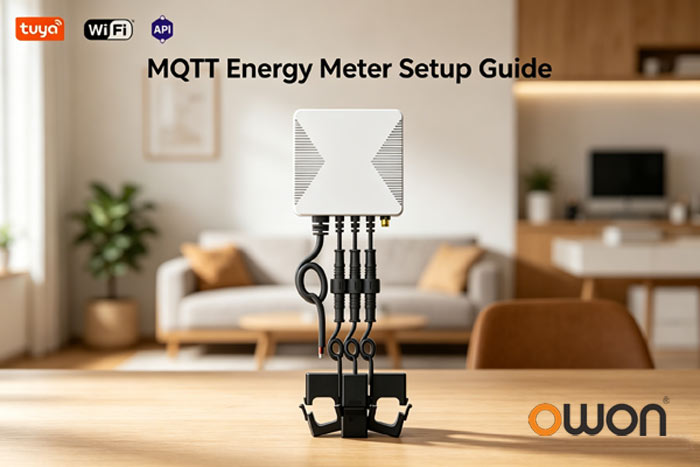
Step 1: Install the Energy Meter
There are two common installation methods:
✔ DIN Rail Energy Meter
- Installed inside distribution boards
- Suitable for panel-level monitoring
✔ CT Clamp Energy Meter
- Non-invasive installation
- Ideal for retrofitting and whole-home monitoring
For flexible deployment, many integrators prefer clamp-based solutions such as
Whole Home Energy Monitoring using CT Clamp Technology
Step 2: Connect the Meter to Network
Once installed, connect the device:
- WiFi configuration via mobile app or web interface
- Or via a Zigbee/RS485 gateway that forwards data to MQTT
After connection, the meter will be ready to send data.
Step 3: Configure MQTT Parameters
Now configure MQTT communication settings:
| Parameter | Description |
|---|---|
| Broker Address | MQTT server IP or domain |
| Port | Typically 1883 (or 8883 for SSL) |
| Client ID | Unique device ID |
| Topic | Data publishing path |
| Username/Password | Optional authentication |
Example MQTT Topic:
energy/meter/device01/dataStep 4: Verify Data Transmission
Once configured, the meter starts sending real-time data.
Example Payload:
{
  "voltage": 230.5,
  "current": 4.8,
  "power": 1106,
  "energy": 12.6
}
You can monitor this data using:
- MQTT Explorer
- Node-RED
- Cloud dashboards
Step 5: Integrate with Your IoT Platform
This is where real value happens for B2B users.
Supported Integration Scenarios:
- Energy Management Systems (EMS)
- Building Management Systems (BMS)
- Home Assistant
- Custom IoT platforms
For API-level integration, see
MQTT API Integration for EMS and BMS Platforms
Step 6: Visualize Energy Data
After integration, energy data can be visualized in:
- Web dashboards
- Mobile applications
- SCADA or monitoring platforms
Typical features include:
- Real-time power monitoring
- Energy consumption analytics
- Alerts and automation
System Architecture Overview
Energy Meter → WiFi/Zigbee → MQTT Broker → Cloud → Dashboard / App

This architecture allows scalable deployment across residential, commercial, and industrial environments.
Common Challenges and Solutions
Does MQTT require a gateway?
Not always. WiFi-enabled meters can connect directly to MQTT brokers.
What is the advantage of MQTT?
- Lightweight protocol
- Real-time communication
- Scalable for large deployments
Is it compatible with Home Assistant?
Yes, MQTT is widely supported by Home Assistant and similar platforms.
Why Choose MQTT Energy Meter for IoT Projects
Compared to traditional monitoring systems, MQTT-based solutions offer:
- Real-time data transmission
- Easy system integration
- Flexible deployment (WiFi / gateway)
- Scalable architecture
Learn more about integration solutions in
MQTT Energy Meter for Home Assistant Integration
Conclusion
Setting up an MQTT energy meter for IoT integration is a practical and scalable way to build smart energy monitoring systems. With proper configuration, system integrators can quickly deploy solutions that support real-time monitoring, cloud connectivity, and seamless platform integration.
Post time: Apr-29-2026