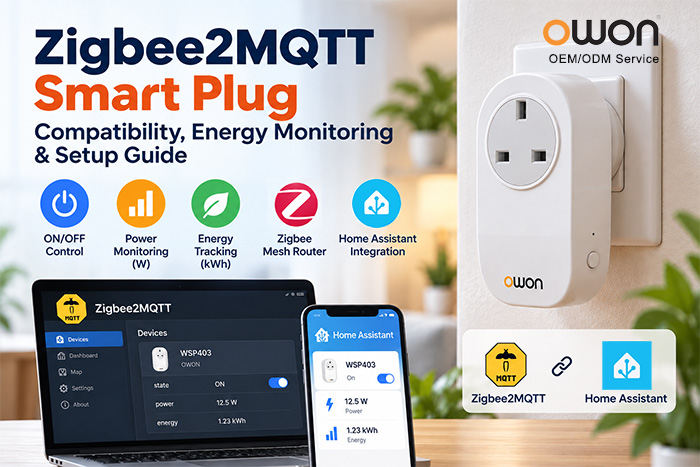
A Zigbee2MQTT smart plug allows users to control electrical appliances through a Zigbee network and integrate them with Home Assistant or other MQTT-based automation platforms.
Some models also support power and energy monitoring, making them useful for appliance-level electricity tracking and automated energy management.
But not every Zigbee smart plug offers the same features or works with Zigbee2MQTT. This guide explains how to check compatibility, choose the right device, and complete the basic setup.
What Is a Zigbee2MQTT Smart Plug?
A Zigbee2MQTT smart plug is a Zigbee-enabled socket adapter that connects to a compatible Zigbee coordinator running Zigbee2MQTT.
Zigbee2MQTT bridges Zigbee devices with MQTT-based systems, enabling local device control without depending on a manufacturer’s proprietary cloud service.
Depending on the model, supported features may include:
- Remote ON/OFF switching
- Scheduling and automated control
- Real-time power monitoring
- Accumulated energy tracking
- Zigbee mesh routing
Important: Zigbee 3.0 compatibility alone does not guarantee full Zigbee2MQTT support. Always check the exact model in the official Zigbee2MQTT supported devices database.
How to Choose the Right Zigbee2MQTT Smart Plug
When selecting a smart plug for Home Assistant, energy monitoring, or an IoT project, consider the following factors.
1. Verified Device Compatibility
Start with the official Zigbee2MQTT device list. A supported device page typically identifies the model, manufacturer, and available functions.
Check whether the device supports the features you need, rather than assuming all Zigbee plugs behave identically.
2. Power and Energy Monitoring
For energy management applications, look for a smart plug that exposes both instantaneous power and accumulated energy consumption.
| Measurement | Unit | Purpose |
|---|---|---|
| Power | W | Shows current appliance power consumption |
| Energy | kWh | Tracks accumulated electricity usage |
Power readings can help identify when an appliance is operating, while energy measurements support longer-term consumption analysis.
Not every smart plug exposes both measurements.
3. Electrical Ratings and Regional Standards
Check the maximum load current, operating voltage, plug type, and local electrical requirements.
A smart plug rated for 10A should not be used with appliances exceeding that rating.
For international projects, regional plug compatibility is especially important.
4. Zigbee Mesh Routing
Many mains-powered Zigbee smart plugs can act as routers, helping other Zigbee devices communicate across a mesh network.
However, routing capability and performance depend on the specific model, firmware, and installation environment.
How to Pair a Smart Plug with Zigbee2MQTT
Most supported Zigbee smart plugs follow a similar joining process, although the button combinations and LED behavior vary by manufacturer.
Step 1: Prepare the Zigbee Network
Make sure Zigbee2MQTT is running with a compatible Zigbee coordinator and an operational MQTT broker.
Open the Zigbee2MQTT interface and enable Permit Join.
Step 2: Activate Pairing Mode
Connect the smart plug to a suitable power outlet and follow the manufacturer’s instructions to enter pairing mode.
Some devices enter pairing mode automatically when first powered on. Others require pressing or holding a reset or pairing button.
Step 3: Confirm Device Recognition
Wait for the device to join the network, then check the Zigbee2MQTT interface.
Review the detected model and its exposed features, such as switching, power, or energy measurements.
Once pairing is complete, disable Permit Join if no other devices need to be added.
For additional details, see the official Zigbee2MQTT pairing guide.
How to Control a Zigbee2MQTT Smart Plug via MQTT
For supported smart plugs that expose a writable state property, Zigbee2MQTT allows switching through MQTT messages.
For example, to turn a device on, publish a message to:
MQTT Topic
zigbee2mqtt/FRIENDLY_NAME/set
Payload
{"state":"ON"}
To turn the device off:
{"state":"OFF"}
Replace FRIENDLY_NAME with the configured device name.
For compatible energy-monitoring plugs, Zigbee2MQTT can also publish power and energy readings through MQTT.
The exact properties and supported commands depend on the device’s official integration documentation.
OWON WSP403: An Officially Supported Zigbee2MQTT Smart Plug
The OWON WSP403 is an example of a Zigbee 3.0 smart plug with energy monitoring and official Zigbee2MQTT device support.
According to the official WSP403 Zigbee2MQTT device page, the following features are available:
| Feature | Property | Function |
|---|---|---|
| Switch | state |
Remote ON/OFF control |
| Power | power |
Instantaneous power measurement in watts |
| Energy | energy |
Accumulated electricity consumption in kWh |
The WSP403 also supports Zigbee mesh networking and has a maximum rated current of 10A. It is designed for indoor use, with regional plug versions available for different markets.
WSP403 Pairing Example
According to the OWON WSP403 Quick Start Guide:
- Press and hold the Reset button for approximately 3 seconds to enter pairing mode.
- The LED flashes three times, then continues flashing for approximately one minute.
- To restore factory settings, hold the Reset button for approximately 10 seconds.
These are device-specific instructions. Other Zigbee smart plugs may use different pairing and reset procedures.
For detailed product specifications, regional options, or OEM/ODM inquiries, visit the OWON WSP403 Zigbee Smart Plug product page.
Common Zigbee2MQTT Smart Plug Problems
The smart plug does not pair.
Check whether Permit Join is enabled, confirm that the device is in pairing mode, and move it closer to the coordinator if necessary.
The device is detected but some functions are missing.
Check the exact model and supported features in the Zigbee2MQTT device database. Not all smart plugs expose energy monitoring or identical controls.
Power or energy readings are not updating.
Check the device’s reporting behavior, Zigbee connection, and integration settings. Some measurements update periodically or when consumption changes.
The Zigbee connection is unstable.
Review network coverage, router placement, and potential 2.4GHz interference.
Frequently Asked Questions
Does every Zigbee smart plug work with Zigbee2MQTT?
No. Support varies by model and firmware. Check the official Zigbee2MQTT supported devices list before purchasing.
Can a Zigbee2MQTT smart plug monitor energy consumption?
Yes, if the model supports energy monitoring and its Zigbee2MQTT integration exposes the relevant measurements.
Can I use a Zigbee2MQTT smart plug with Home Assistant?
Yes. Zigbee2MQTT can integrate supported Zigbee smart plugs with Home Assistant through MQTT. Available controls and entities depend on the device.
Can a Zigbee2MQTT smart plug act as a repeater?
Many mains-powered models support Zigbee routing, but this should be verified for the specific device.
Do Zigbee2MQTT smart plugs require an internet connection?
Zigbee2MQTT can operate locally without a continuous internet connection when the coordinator, MQTT broker, and automation platform are available on the local network. Internet access may still be needed for installation, updates, or external services.
Conclusion
Choosing the right Zigbee2MQTT smart plug involves more than checking whether a device uses Zigbee.
Verified compatibility, energy monitoring capabilities, electrical ratings, and reliable pairing procedures are essential for smart home and IoT applications.
For users who need appliance control and energy monitoring, officially supported devices such as the OWON WSP403 provide a practical starting point.
By checking the official device documentation and selecting the appropriate hardware, users and system integrators can build more reliable Zigbee-based automation and energy monitoring solutions.
Post time: Oct-14-2026


