


Main Features:
• ZigBee 3.0 wireless connectivity
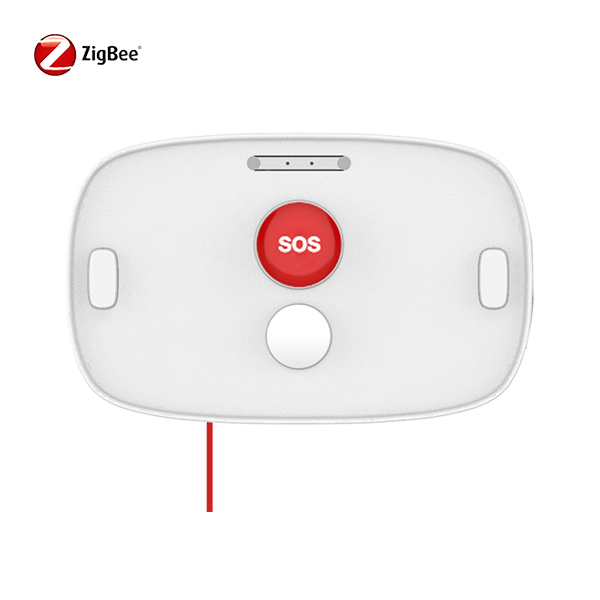
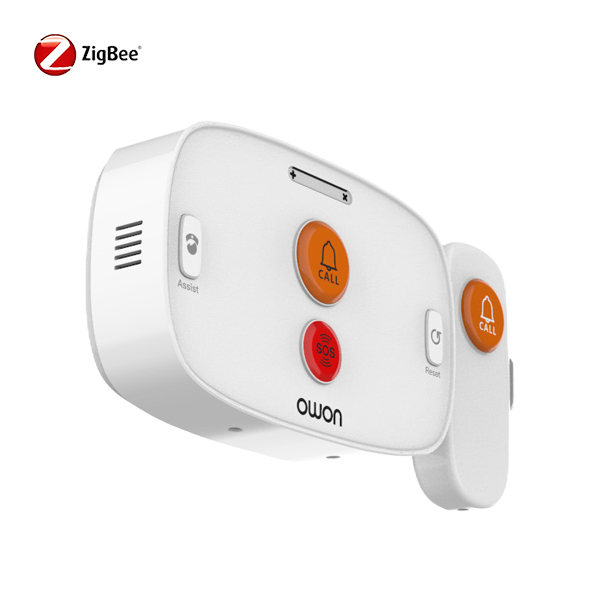
• Button and pull-cord emergency activation
• Instant panic alarm notifications
• Compatible with standard ZigBee gateways
• Low-power battery operation
• Wall-mounted installation
• OEM customization for pull cord options
Product:
Application Scenarios
The PB236 is suitable for a variety of ZigBee-based emergency alert applications, including:
• Assisted living and elderly care facilities
• Hospitals and healthcare environments
• Hotels and hospitality staff safety
• Residential emergency call systems
• Smart buildings and IoT security projects
It is also suitable for ZigBee SOS emergency alert applications requiring fast wireless assistance.
PB236 vs PB206: Choose the Right Emergency Button
| Feature | PB206 | PB236 |
|---|---|---|
| Best For | Personal safety & general security | Assisted living & emergency call systems |
| Alarm Activation | Push button | Push button + pull cord |
| ZigBee Standard | ZigBee HA 1.2 | ZigBee 3.0 |
| Installation | Compact & flexible placement | Wall-mounted |
| Battery | 1 × CR2450, 3V | 2 × AA, 3V |
| Typical Applications | Homes, offices & smart buildings | Healthcare, assisted living & hotels |
| Key Advantage | Compact one-touch emergency button | Dual button & pull-cord activation |
Need a more compact one-button solution? Explore the PB206 Compact ZigBee Panic Button for personal safety, office security, and smart building applications.
FAQ:
Q1. What is a ZigBee panic button used for?
A: A ZigBee panic button, sometimes referred to as a ZigBee SOS panic button, is used to send an emergency alert through a ZigBee network when activated. The PB236 supports both push-button and pull-cord activation, making it suitable for assisted living, healthcare facilities, hotels, residential emergency call systems, and other smart building applications.
Q2. How do you activate the PB236 panic button?
A: The PB236 can be activated in two ways: by pressing the emergency button or by pulling the attached cord. Once activated, it transmits a panic alarm through a compatible ZigBee gateway, allowing the connected system to notify users or monitoring platforms.
Q3. Does the PB236 require a ZigBee gateway?
A: Yes. The PB236 is a ZigBee 3.0 device and requires a compatible ZigBee gateway or hub for communication. The gateway receives the panic signal and forwards it to the connected mobile application or monitoring platform for emergency notification.
Shipping:

Wireless Connectivity
| Specification | Details |
|---|---|
| ZigBee | 2.4GHz IEEE 802.15.4 |
| ZigBee Profile | ZigBee 3.0 |
| RF Characteristics | Operating Frequency: 2.4GHz Indoor Range: 30m (Open Area) Internal PCB Antenna TX Power: 8dB |
Physical Specifications
| Specification | Details |
|---|---|
| Operating Voltage | DC 3V (2 × AA batteries) |
| Voltage Low Alarm | 2.4V |
| Max. Load Current | Standby Current: < 3μA Trigger Current: < 30mA |
| Operating Environment | Temperature: -20°C to +45°C Humidity: ≤ 90% non-condensing |
| Dimension | 173.4 (L) × 85.6 (W) × 25.3 (H) mm |
| Weight | 166 g |
| Mounting Type | Wall Mounting |
-

Cost-Effective Zigbee Door/Window Sensor | DWS312
-

Zigbee Alarm Siren for Smart Home & Building Security | SIR216
-

ZigBee PIR Sensor with Temperature, Humidity & Light | PIR313
-

Sleep Sensor Pad for Heart Rate & Respiration Monitoring | SPM913
-

ZigBee Panic Button with Pull Cord
-

Zigbee Motion Sensor with Temperature & Humidity | PIR323